AI is changing how modern WordPress websites are built and managed. From faster development to smarter automation, AI tools are helping teams work more efficiently.
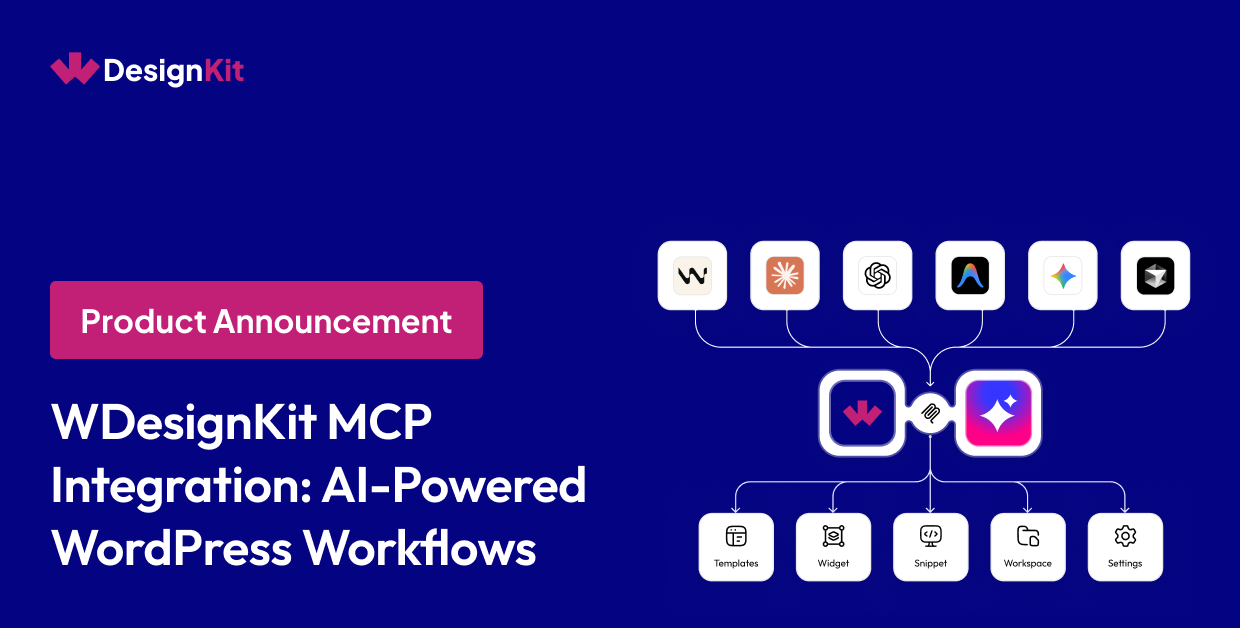
Using MCP Integration with WDesignKit, you can connect AI assistants like Claude, Cursor, VS Code AI tools, and other MCP-compatible platforms directly with your WordPress workflow.
This allows AI tools to access WDesignKit resources like:
- Templates
- Widgets
- Code snippets
- Presets
- Workspace resources
- Workflow operations
all through AI-powered interactions.
What is MCP?
MCP (Model Context Protocol) is a communication standard that allows AI assistants to securely interact with external tools, apps, and workflows.
With WDesignKit using MCP, AI platforms can connect directly with your WordPress environment and help streamline repetitive tasks, resource discovery, and workflow execution.
What You Can Do with WDesignKit Using MCP
AI Template Discovery
Find and import templates faster using AI-powered prompts.
Widget Browsing
Access widgets directly through AI interactions without manually searching dashboards.
AI Snippet Access
Quickly discover reusable PHP, CSS, JS, and HTML snippets.
Presets & Layout Exploration
Browse layouts, presets, and design assets more efficiently.
Workflow Automation
Reduce repetitive WordPress operations through AI-assisted workflows.
Supported AI Platforms
WDesignKit MCP supports MCP-compatible platforms including:
- Claude
- Cursor
- VS Code AI tools
- AI coding assistants
- Other MCP-supported environments
How It Works
Step 1: Install WordPress MCP Plugin
Enable MCP functionality on your WordPress website.
Step 2: Connect WDesignKit
Authenticate your WDesignKit account securely.
Step 3: Connect Your AI Assistant
Add the MCP configuration to your preferred AI platform.
Step 4: Start AI Workflows
Access templates, widgets, snippets, presets, and workflow resources directly through AI interactions.
Why WDesignKit MCP?
Without MCP
- Manual dashboard navigation
- Repetitive setup tasks
- Slower resource discovery
- Multiple tool switching
With WDesignKit MCP
- AI-assisted workflows
- Faster template discovery
- Centralized workflow access
- Smarter automation
- Better productivity
Secure & Developer-Friendly
WDesignKit MCP includes:
- Secure authentication
- Permission-based access
- Protected API communication
- Controlled workflow connectivity
You stay fully in control of connected workflows and permissions.
Final Thoughts
WDesignKit using MCP helps bridge WordPress workflows with modern AI-powered productivity.
From templates and widgets to snippets and automation workflows, MCP enables faster, smarter, and more connected website-building experiences for developers, agencies, designers, and freelancers.
If you want to reduce repetitive work and streamline your WordPress workflow with AI, WDesignKit MCP is built for you.